Privacy and the use AI tools in biography
- by Kate Bowman
- May 1, 2026
SHARE


Volunteers have an obligation to protect the privacy of their clients when creating biographies, but the lure of using AI tools to assist in this process is compelling. For volunteer managers responsible for creating procedures and training volunteers, it is useful to understand the privacy policies of popular AI tools alongside secure, offline alternatives.
Core activities of biography creation, such as transcribing, proofing, and editing, are laborious, and it is natural to seek technologies that help. However, managers have raised concerns regarding the importance of keeping client information secure in local files and preventing it from passing through the cloud.
InfoXchange has published a handy guide to help you understand how AI systems capture and utilise data. In plain English, it explains some of the terminology used and looks into the different privacy policies from the eight most popular AI platforms including ChatGPT, Google Gemini, and Microsoft Copilot.
The good news is there are safe, offline alternatives available for voice-to-text transcription. Buzz Captions is an offline audio transcription and translation tool which processes audio locally to ensure 100% data privacy. It works without an internet connection and can create secure transcription of recordings or turn live audio into text. Buzz Captions allows 2000 minutes (over 30 hours) per month on their free plan and is suitable for Windows, Linux, and Apple Mac operating systems.
Vibe Write is another transcription and speech-to-text application. It is suitable for both Windows and Macs and works offline for complete privacy and security. This one is not free but you can buy unlimited access for a very reasonable once-off fee.
Both Buzz Captions and Vibe Write are powered by OpenAI’s Whisper. Whisper is a cutting-edge Automatic Speech Recognition system known for high accuracy and robustness. It excels at handling accents and background noise and can translate into 98 different languages. Make sure your PC has the capacity to run this software before installation as AI models need processing power. Most newer computers should be up to the task.
Most mobile phones now have voice-to-text capabilities built-in making the recording and transcription of biographies easier than ever however care should be taken to ensure privacy and confidentiality are maintained. Apple Dictation is available on iPhones and Macs and can be used in the Notes app even without an internet connection. Android phones have Google Docs Voice Typing which can also be used offline. In Windows, users can press Win + H in an open document and and click the microphone button to begin voice typing. Most headphones and earbuds feature built-in microphones of sufficient quality to capture clear voice recordings.
There are ways to store recordings and voice-to-text transcription files securely on mobile phones and maintain this security when transferring to a personal computer. Files should only ever be saved in folders that are stored locally on phones and must never be synced or uploaded to cloud accounts such as Microsoft OneDrive, Apple iCloud, or Google Drive.
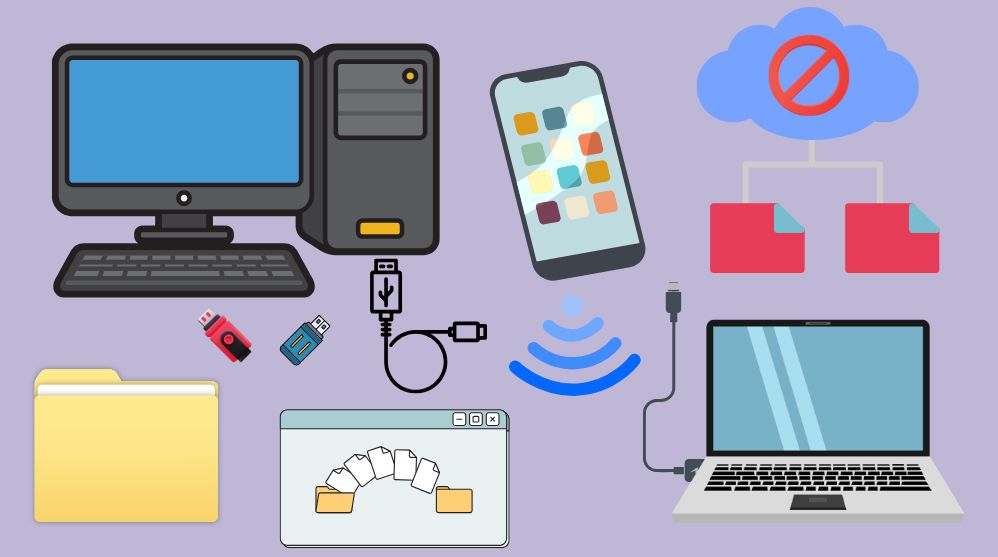
Maintain security when transferring files from phones to personal computers in your home by tethering the device to the PC with a cable, or by using Bluetooth or Wi-Fi. Ensure files are saved to folders on the computer that do not automatically sync with cloud accounts. Storing folders and files in external hard drives or USB flash drives might be an easy solution.
Sync settings for devices including phones, tablets, and personal computers can be changed quickly and easily to keep selected folders stored locally and securely. Try these easy to follow user guides for how to turn these features on or off:
Enable Apple Dictation on iPhone and Mac. Change iCloud sync settings on Apple devices to store files locally. How to sync between Apple devices without using iCloud.
Type and edit with your voice in Google Docs. How to work offline on Google apps, phones, and devices.
Set up microphone and use voice recognition in Windows. How to choose which folders sync to OneDrive from PCs or Macs and using OneDrive on Android and iOS devices such as phones and tablets.
This information is provided as an overview and is relevant at the time of writing. Readers should do their due diligence by checking for the most up-to-date information. None of this information is to be regarded as legal advice or recommendations for one service over another, and each individual or organisation should consider their own needs and risk when deciding whether to use any of the information listed here.
SHARE
Upcoming Events

- OCTOBER 20 - OCTOBER 21, 2026
- 9:00 AM - 5:00 PM
2026 Volunteer Managers Conference
Held just once every two years, the NSW Palliative Care Vol...
Read more
- DECEMBER 1, 2026
- 10:00 AM - 12:00 PM
NSW Network of Managers of Palliative Care Volunteers – December meeting & Christmas lunch
The role of the Network is to ensure best practice for managers of palliati...
Read moreBecome a member of Palliative Care NSW
Palliative Care New South Wales is the peak body in NSW representing palliative care providers and those with an interest in palliative care. Palliative Care New South Wales is a member of the national peak body Palliative Care Australia.
Join today and receive discounts, benefits and more!
Special member rate available for volunteers.
Subscribe to our eNews
Be the first to know our latest new, events, and research!
SUBSCRIBE TO ENEWS